Available for



Cisdem DVD Burner makes every format work. No pre-conversion.

Wide Container Format Support
Work with various container formats, whether old or popular ones such as MP4, AVI, MKV, MTS, M2TS, WMV, ASF, SWF, DAT, 3GP, FLV, MPG, and MPEG.

Universal Codec Support
Burn videos encoded with both modern and legacy codecs including HEVC, AVC, MPEG-1, MPEG-2, MPEG-4, DivX, Xvid, WMV7, WMV8, etc. Whatever audio codec is embedded in your video, it’s also fully compatible.

ISO Image Support
Burn ISO images into universally playable physical DVD discs with just single click. Replicate the original structure inlcuding menus, chapters, and quality for guaranteed playback on standalone DVD players.
No matter where your videos come from, you can burn them.

VHS, VHS-C, Betamax, Super8, Video8, Hi8, Betacam, Betacam SP, S-VHS, Digital8, DV, HDV, D-VHS, MicroMV, etc.

YouTube, Amazon Prime, Facebook, Vimeo, TikTok, Dailymotion, LinkedIn, X, Netflix, Twitch, etc.

iMovie, iTunes, Windows Movie Maker, Adobe, OBS, PowerPoint, Keynote, Loom, Google Slides, Camtasia, etc.

iPhone, iPad, Mac, Windows PC, Android, Tablet, Chromebook, Gaming Console, Smartwatch, etc.

Sony, Canon, Panasonic, Nikon, JVC, Blackmagic, Kodak, Fujifilm, GoPro, DJI, Sigma, Insta360, etc.
No resolution restrictions. Videos can be imported in any resolution, including 360p,
480p, 720p, 1080p, 4K, and 8K.
Some video to DVD makers don't even support 4K, let alone 8K. Cisdem DVD Burner is
equipped with super powerful decoding and encoding capability, enabling it to play and burn all these
videos.
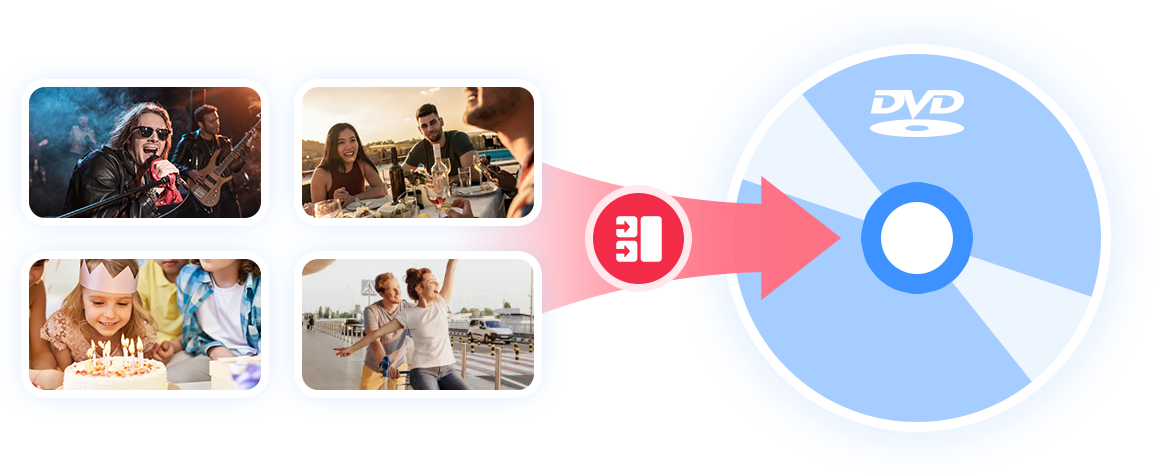
Make a multi-title DVD from any type of video mentioned above. They can be MP4 videos, VHS transferred videos, YouTube videos, iMovie videos, and 1080p videos. All of them can be put together into Cisdem DVD Burner and written to one DVD disc.
Easily make professional and unique DVDs with the best DVD burning software.